You’re incorrect here. I have a Gen 5 PCIe NVMe that can run over 7,000 megabytes per second and I’m still getting disappearing track using an Intel 14700KF and DDR5, on an Nvidia 4090. This is just broken and it’s definitely a graphics texture issue.
2 Likes
Just to let everyone know:
I’ve never had disappearing track or texture glitches anymore since HAGS is off. (Hardware-Accelerated GPU Scheduling.)
I dont need to leave the game.
My FPS doesnt drop sporadically after a few races where I need restart the game or return to menu.
It all works really well now.
1 Like
Thanks i just read some articles about HAGS. I don’t have the dissapearing track bug, but i have CPU stuttering issues if FPS are above 75. I will try to turn it off maybe that helps with the CPU performance.
Apparently in some games HAGS helps smoothen the FPS and frame times etc. but in some games it does the opposite.
I did some testing and HAGS on or off didn’t change anything. It’s still juddering and stutters.
HAGS on

HAGS off
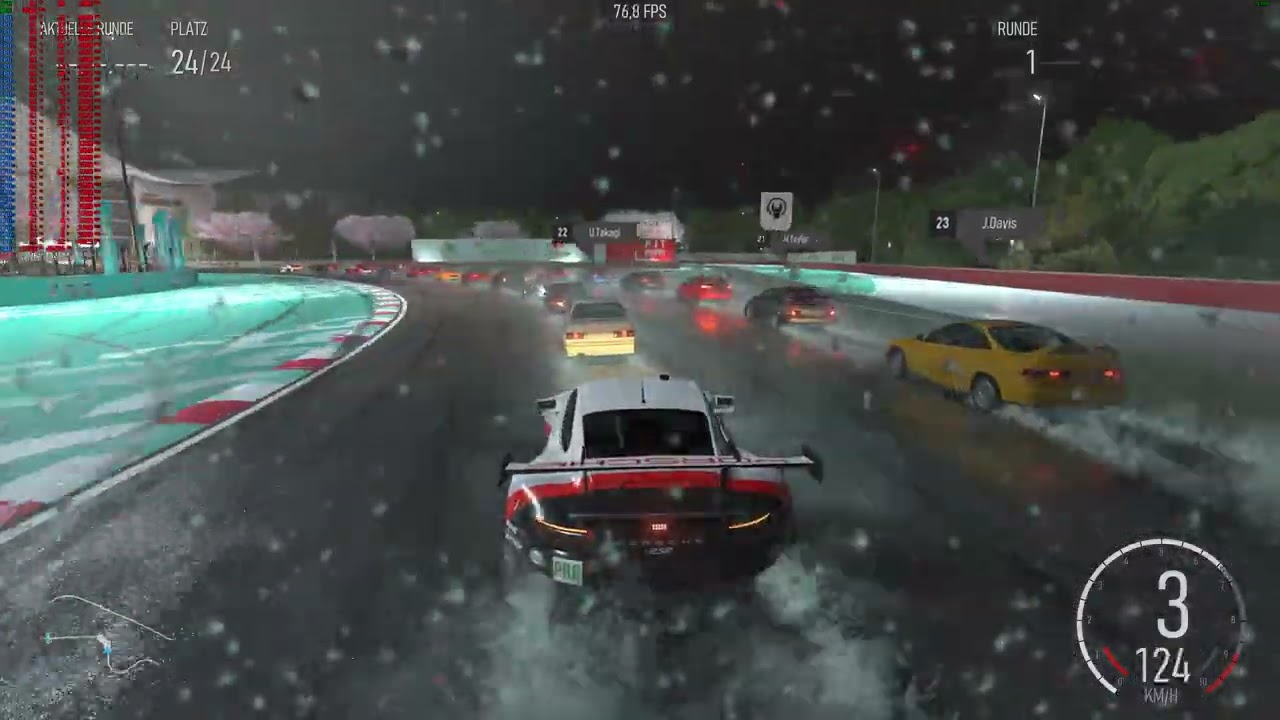
The stutter count was 0 while not recording, i always did 2 benchmarks once with recording once without.
And here some regular gameplay with HAGS off. Looking at the CPU utilization it shows the game doesn’t take advantage of multithreading. First i played some practice all alone on the track, then i added 23 AI drivatars with difficulty 4.

HAGS on or off doesn’t make the game better or worse for me. And yes i drove like a complete newbie, because i kept looking at the Afterburner numbers. It shows that it only uses half of my 32 threads, but that is not the bad thing it shows that it uses 8 cores and 8 virtual threads instead of 16 cores and 0 virtual threads. But for some weird reason if i deactivate SMT in the UEFI/BIOS it doesn’t run any better.
It’s like this CPU core 0 is a real one CPU core 1 is virtual 2 is real 3 is virtual etc.
HAGS should be off by default, so unless you have turned it on recently, it should be off already.
With that being said, I just finished the “4 cyl” series of races and the last race was completely without track texture, luckily I had breaking line on and could actually finish the final race without a restart. Since update 6, this issue has become more frequent for me.
It was on by default for both my desktop gaming rig and my laptop so hmm.
I looked at the information on HAGS from MajorGeeks(dot)com here.
Per their page, it should be off by default for both Win 10 and Win 11.
But it wasn’t.
Maybe it has something to do with the game mode and that automaticly activated HAGS. Well it doesn’t matter because i don’t have any problems using HAGS.
Dunno, mine was off when I checked.
You are 100% welcome.I knew you would figure it out.Enjoy the game my friend,it’s addicting.I have fallen in love with the handling of different cars,it’s stunning how different the cars feel.I was just ripping a honda civic (the little hatchback ricerocket) and it’s a blast to drive.I love the way the inside tire spins when flooring it around corners and smokes until it gains traction again,and it is all felt through the ffb in my wheel.Outstanding !!!
What kind and how fast is your hard-drive? If you know how,please post read/write speeds as well.
What happens when you use vsync/60?
I don’t know. Because playing at 60 FPS is horrible. I can tolerate 75 somehow but 60 just sucks.
Crucial MX500 2TB SATA SSD
Peak read speed - 560MB/s
Peak write speed - 510MB/s
Just to test this, I’ve moved the game to my SSD - NVMe and all texture problems are gone, no missing track texture since then.
But to be honest I personally don’t think it’s the best idea to stream the track permanently and repeatedly (load the same textures again and again) from the storage device as we are driving in circle so this adds more complexity to stutter-free gaming.
No other racing game is using this technology - maybe for flight simulator it’s a good idea because the flight sim does not know where you will going and can not load the whole world in the graphics memory.
So, since most in here have been chatting about SSD type and such, what about the console players?
This game (or any game for that matter) shouldn’t require the use of a NVMe to have smooth gameplay.
XBOX Series does have a NVMe like SSD, means fast storage is standard on the console.
2 Likes
Maybe 2 WD Black HDD’s in Raid 0 mode can have the needed speed, but buying a simple SSD is easier and cheaper and you have the guaranteed speed and it won’t get slower the more data is on it.
And I’ll say it again. This game (nor any game) should require the use of a NVMe to have smooth gameplay. There are multiple new games that have far smoother gameplay and are just as “big” as Forza. As far as I understand, this issue isn’t just with PC, but across the board for players, right?
You are right we ‘shouldn’t’ be required to use nvme’s,but since the console’s rely on them for zippy load times,it makes sense to use one on pc for best results.I purchased a gen4 nvme for my latest build and couldn’t be happier with it.It’s a WD sn850x,speeds are 7300 & 6600,got it used with 16hrs on it for $80.